AI Search Content Refresh: How to Update Pages for Citations and Mentions
A practical workflow for refreshing older pages so they stay useful for AI search visibility, citations, and answer accuracy.
Last updated
AI search rewards maintenance more than many content teams expect. A page that explained a topic well last year may now miss current tools, answer-engine behavior, pricing, product changes, or new language people use in prompts.
An AI search content refresh is the process of updating an existing page so it stays accurate, useful, structured, and citation-ready. The goal is not to change the date. The goal is to make the page a better source for humans and answer engines.
Why refresh matters
AI answer systems often synthesize from pages that look useful, current, and easy to extract. If your page has stale examples, missing sources, or vague definitions, it may still rank in classic search but lose usefulness in answer journeys.
A content refresh helps with four jobs:
| Job | What changes |
|---|---|
| Accuracy | Old claims, examples, and tool states are corrected |
| Extractability | Definitions, tables, FAQ, and checklists become clearer |
| Evidence | Sources and dates are added or improved |
| Cluster strength | The page links to newer related pages and receives links back |
Google's helpful content guidance is still the baseline: update because the page becomes more helpful, not because a calendar says it is time.
Build a refresh queue
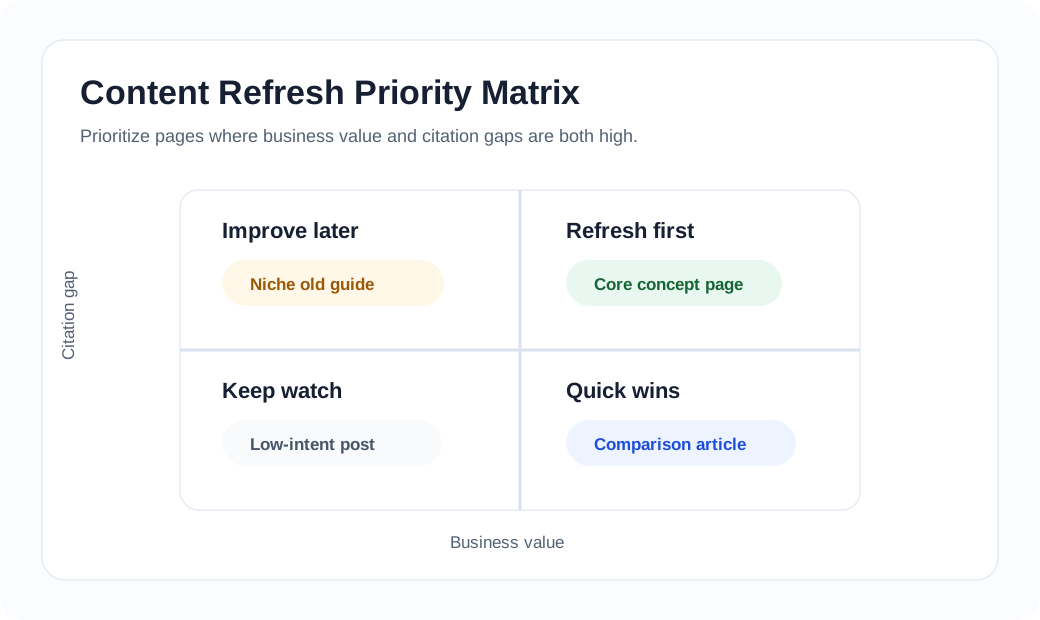
Do not refresh every page equally. Create a queue using these signals:
| Signal | Why it matters |
|---|---|
| The page answers a durable question | It is worth maintaining |
| The topic changes quickly | AI tools, pricing, and workflows age fast |
| The page lacks sources | It is weaker as a citation candidate |
| The page has no FAQ | It may miss answer-style query formats |
| The page has weak internal links | It is disconnected from the cluster |
| The page is close to a new article | It may need a link or positioning update |
| Local-language versions are thin | They may need real local examples |
For Outlook IT, good refresh candidates include pages around AI search, LLM visibility, multilingual SEO, and tool evaluation.
The refresh workflow
Use a repeatable workflow.
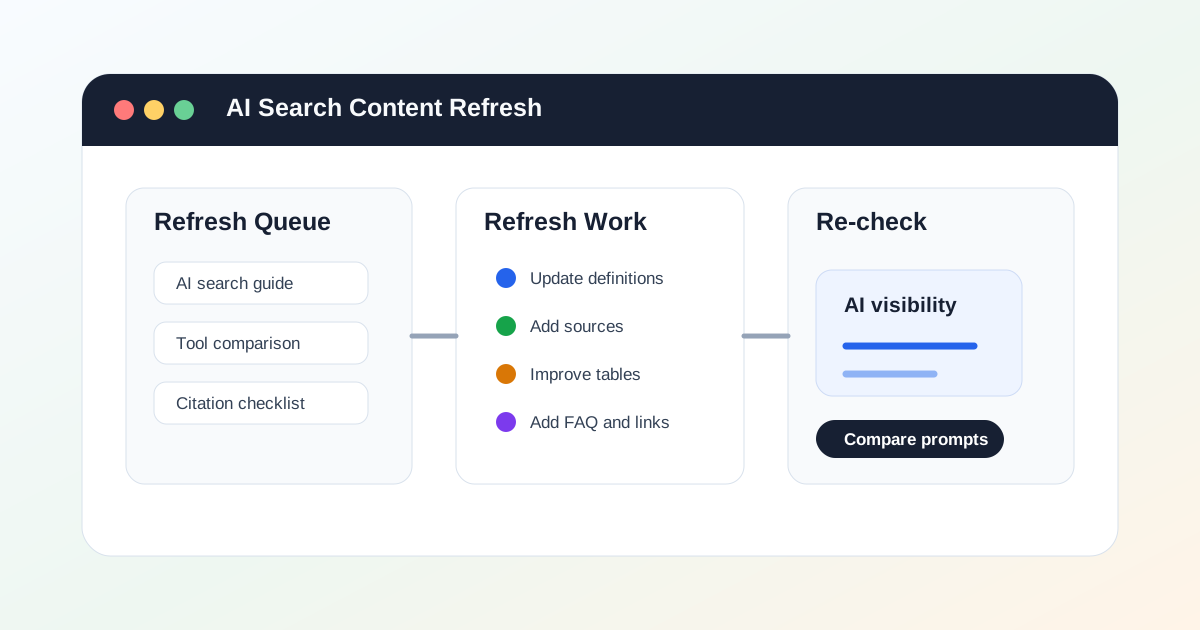
- Write the current search intent in one sentence.
- Compare the page against the latest related articles on the site.
- Check whether the opening definition is still accurate.
- Add or update examples, tools, and product behavior.
- Replace weak claims with sources readers can inspect.
- Add a table, checklist, or FAQ if the page lacks structure.
- Add related reading and reverse links from newer pages.
- Update the reader-facing update log.
- Re-run the page in a small AI visibility prompt set.
The last step matters. A page refresh should change how the page performs in real answer journeys, not only how it looks in the CMS.
What to add during a refresh
AI search refreshes usually need more than small edits.
| Missing element | Add this |
|---|---|
| Vague opening | One direct definition and audience note |
| Thin evidence | Official docs, product pages, public research, or original examples |
| No comparison | A table that names trade-offs |
| No action path | A checklist or workflow |
| Old examples | Current tools, markets, or product behavior |
| Weak entity clarity | Product/category names, adjacent terms, and use cases |
| No local value | Market-specific examples and FAQ |
The strongest refreshes make the page easier to cite and easier for a reader to act on.
When to update instead of creating a new article
Update the old page when:
- the primary keyword is the same
- the search intent is the same
- the old page already has internal links
- the new idea is an expansion, not a distinct angle
- two pages would answer the same reader question
Create a new article when:
- the intent is different
- the audience is different
- the format is different, such as a checklist, tool review, or local-market page
- the old page would become unfocused if expanded
This prevents keyword cannibalization and keeps the content cluster easier to navigate.
A 30-day refresh plan
For a small team, start with four pages.
Week 1: refresh the main concept page.
Week 2: refresh one tool or comparison page.
Week 3: refresh one checklist or workflow page.
Week 4: refresh one local-language page.
After each update, add links from at least one newer page back to the refreshed page. The cluster should become easier to move through.
Related reading
- AI Answer Citation Checklist: What Makes a Page More Likely to Be Cited
- AI Visibility Audit Workflow: A Manual Process Before You Buy Tools
- GEO Tools for SaaS Teams: What to Evaluate Before You Buy
- LLM Visibility: How Brands Are Found Inside AI Answers
- Multilingual SEO Directories: A Practical Path for New Content Sites