The Keyword Tool Problem Reddit Keeps Pointing To
A practical way for small teams to decide whether they need a full SEO suite, free keyword tools, or a decision-first workflow like Keyword Scout.
Last updated
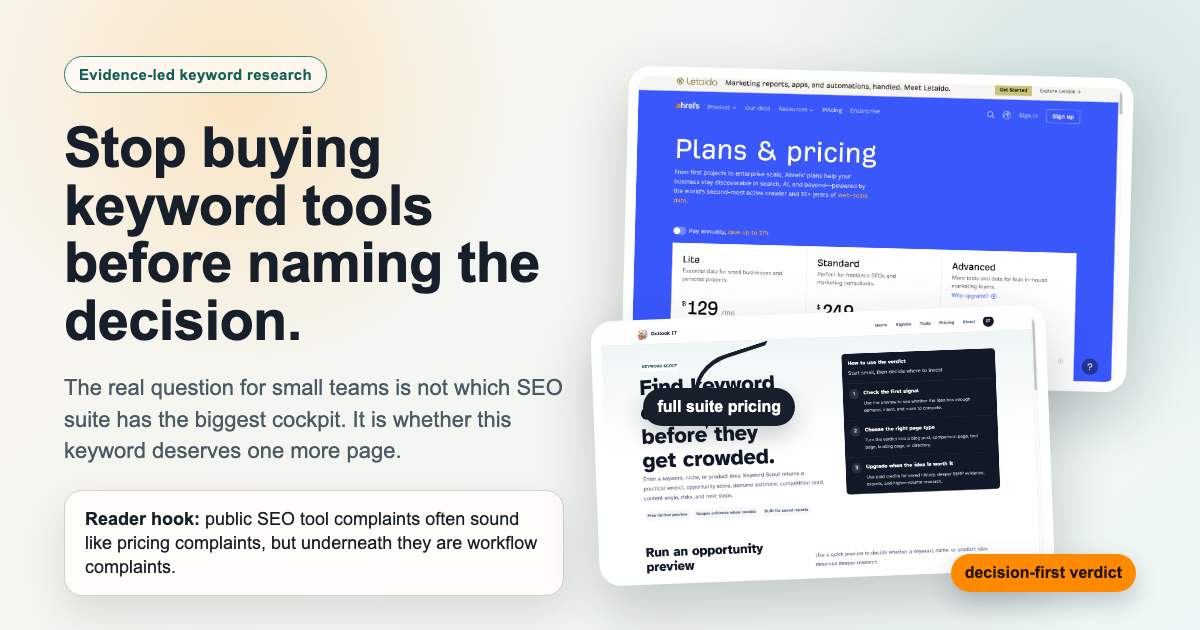
There is a familiar moment in SEO work: you have three content ideas, a few tabs open, and one question that a big keyword spreadsheet still has not answered.
Should you write the page?
That is the tension behind a lot of public SEO-tool complaints. People argue about expensive suites, cheaper alternatives, free-tool stacks, and whether a creator really needs Ahrefs or Semrush. The surface language is about price. The deeper problem is usually about decision fatigue.
A full SEO suite can be worth every dollar when SEO is already an operating channel. But many solo creators, niche-site builders, small SaaS teams, and content operators are not yet operating a full SEO machine. They are deciding whether the next keyword deserves a page, a cluster, a tiny tool, or no action at all.
That distinction changes the buying decision.
The question is not only: Which keyword tool has the most data?
It is: Which tool helps us make the next ten keyword decisions with the least wasted writing time?
The public product pages and docs referenced here were reviewed on July 13, 2026. Pricing, limits, and plan names change, so use the reference links as live sources rather than permanent facts.
The complaint under the complaint
When people complain that a major SEO suite feels expensive, the honest answer is not always "use a cheaper alternative." Sometimes the answer is "you are buying the wrong layer of the workflow."
If you run client SEO, manage a large content portfolio, track rankings every week, watch competitors, report to a team, and need backlink intelligence, a full suite is a workbench. The breadth is the value.
If you publish a few pages a month, validate niche ideas, or test product-led content, the same workbench can feel like renting a studio when you only need to sharpen a pencil.
Four frustrations show up again and again:
- The tool gives a large export, but not a verdict.
- The monthly subscription feels hard to justify before SEO is proven.
- Free tools provide signals, but someone still has to stitch them together.
- Keyword difficulty, search volume, and SERP snapshots do not say whether your site should write the page.
That last point is the heart of the problem. Most small teams are not short on possible keywords. They are short on conviction.
Look at the evidence layer, not just the feature list
We rebuilt the visual for this article around real source material: an official pricing page, a Google Keyword Planner help page, the Outlook IT Keyword Scout page, and an anonymized summary of repeated public SEO-tool complaints. The point is not that one screenshot proves the argument. The point is that each source answers a different part of the workflow.
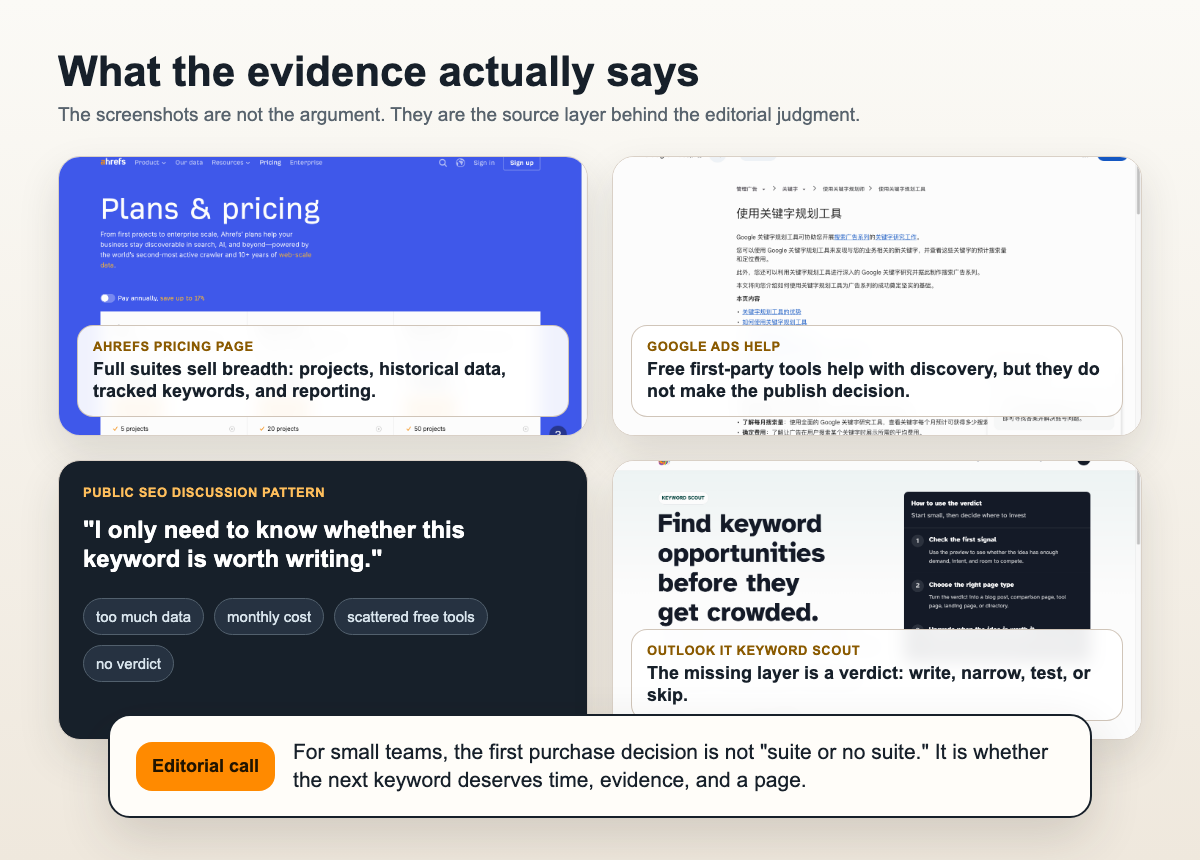
The Ahrefs pricing page shows the shape of a broad suite: plans, projects, historical data, tracked keywords, and room for serious SEO operations. Semrush, Mangools, Ubersuggest, and SE Ranking occupy different positions in that same broad category of keyword and SEO software.
Google Keyword Planner and Search Console sit in another layer. They are first-party or official tools that can help with discovery and validation. Keyword Planner is oriented around Google Ads planning and keyword ideas. Search Console shows how your own pages already receive impressions and clicks.
Then there is the decision layer. That is where most small teams get stuck. They do not just need more keyword rows. They need to decide:
- Is this a real reader problem or a curiosity query?
- Does the current SERP reward articles, tools, product pages, forums, or directories?
- Can our site add evidence, examples, local context, a calculator, or a clearer workflow?
- Should this become one article, a cluster, or a product experiment?
- What happens after the reader lands on the page?
This is where a decision-first workflow becomes useful.
Four paths, depending on the job
There is no single best keyword tool. There is a best fit for the job you are actually doing.
| Path | Use it when | Watch out for |
|---|---|---|
| Full SEO suite | SEO is already a recurring channel, and you need rank tracking, backlink data, technical audits, exports, and competitor monitoring | It may be too much before you have enough SEO decisions each month |
| Free-tool stack | You are validating early ideas and have time to synthesize Keyword Planner, Search Console, Trends, SERPs, and customer language manually | The tools are free, but your judgment time is not |
| Budget SEO subscription | You need recurring keyword checks and a lighter research setup without buying the broadest suite | Data depth, limits, and workflow quality vary by vendor |
| Decision-first workflow | Your immediate question is whether to write, narrow, test, cluster, or skip | It will not replace backlink research, technical SEO, or long-term rank tracking |
The fourth path is where Keyword Scout belongs.
It is not trying to be a cheaper clone of Ahrefs or Semrush. It is designed for the earlier moment when you have a keyword, niche, or product idea and need a practical verdict: opportunity score, demand estimate, competition read, content angle, risks, and next steps.
That sounds narrower because it is. Narrow is useful when the next bottleneck is not data collection. It is deciding what deserves attention.
A small SaaS example
Imagine a small SaaS team selling a customer-support tool. Someone suggests writing about "AI support chatbot." It has demand, but the SERP is crowded, broad, and full of established vendors. A large SEO suite can help you inspect the competitive landscape. That might be useful, but it may not change the first decision: the phrase is too wide for your current site.
Now try a more specific idea: "AI support handoff checklist for bilingual teams." The search volume may look smaller. The keyword may not light up a big dashboard. But the reader is clearer: a support lead trying to avoid messy AI-to-human escalation across languages. The page could include a checklist, examples, failure cases, and a path toward your product.
That is the kind of decision where a lighter workflow can beat a larger export. You are not asking "How many keywords can I collect?" You are asking "Which page can we write with evidence, specificity, and a next step?"
What free tools can and cannot do
Free tools can absolutely support real keyword research.
Keyword Planner can surface adjacent terms and planning ranges. Search Console can show the queries your site already touches. Trends can help with directionality. Manual SERP review shows what type of page search engines are currently rewarding.
But free tools do not remove the editor's job. Someone still has to decide whether the keyword fits the site's reader, whether the page type is realistic, whether the evidence is strong enough, and whether the content has a business or product path.
This is where many teams burn time. They spend a full afternoon collecting promising phrases, then open the spreadsheet the next morning and still cannot name the next page.
That is not a research failure. It is a workflow failure.
The ten-keyword test before you subscribe
Before buying any tool, test your workflow on ten real keyword ideas. Do not start with fifty. Ten is enough to reveal whether you need more data or better decisions.
For each keyword, write one sentence for the reader. Who is searching, and what are they trying to finish? Then check demand signals, but do not stop there. Open the SERP and name the page type that currently wins. Look for gaps: missing examples, stale pages, weak comparisons, no local context, no checklist, no tool.
Then force a decision:
- Write if the intent is clear, the competition is reachable, and your page can add something concrete.
- Narrow if the head term is too broad but a more specific reader job appears.
- Cluster if the query opens several connected pages: definition, checklist, comparison, examples, and tool.
- Test if evidence is mixed but the reader job looks valuable.
- Skip if the site cannot add a stronger answer.
The tool you choose should make this process faster or more reliable. If a tool only gives you more rows, it may still be useful later, but it has not solved the current decision.
Where Keyword Scout fits in the buying journey
Keyword Scout is useful when the team is still choosing what deserves deeper work.
It helps avoid the "interesting keyword" trap. A phrase can sound clever and still be wrong for the reader, wrong for the SERP, or wrong for the site. A verdict forces the idea through demand, competition, intent, content angle, and risk.
It also helps separate article opportunities from product opportunities. Some keywords do not deserve a long blog post, but they reveal a small tool, template, checklist, or directory. That connects to our broader work on AI tool ideas and niche site ideas.
Most importantly, it helps you decide when to escalate. If the verdict is weak, stay manual or skip. If the verdict is strong, then it may be worth using a full SEO suite, commissioning deeper SERP research, building a content brief, or testing paid traffic.
That is a healthier purchase path: small decision first, larger tooling after the opportunity proves it deserves more evidence.
Where it does not fit
The non-fit cases are just as important.
Use a full SEO platform if you need backlink research, daily rank tracking, technical crawling, large exports, competitive history, team dashboards, or client reporting. Use Search Console if you are diagnosing how existing pages already perform. Use Keyword Planner if your keyword research is tied to Google Ads planning.
Keyword Scout does not make weak content strong. A good keyword still needs source quality, original examples, a clear page type, internal links, and a next action. If the article is a generic summary, better keyword selection will not save it.
A buying checklist that is short enough to use
Before subscribing, answer these questions in plain language.
| Question | Why it matters |
|---|---|
| How many keyword decisions will we make this month? | Occasional validation and daily SEO operations need different tools |
| Do we need monitoring or only research? | Rank tracking, backlink changes, and competitor movement are recurring jobs |
| Do we already have Search Console evidence? | Your own impressions and queries can change the next page decision |
| Who will interpret the result? | A keyword tool cannot replace an editor or product owner |
| What will we publish if the keyword looks good? | A guide, comparison, checklist, tool, landing page, or cluster each needs different evidence |
| What would make us cancel after 30 days? | Naming failure early prevents subscription inertia |
If most answers are vague, start smaller. Use free evidence, run the ten-keyword test, and use a decision-first layer before buying a full suite.
The practical conclusion
The keyword-tool problem Reddit keeps pointing to is not only that some tools are expensive. It is that many small teams buy around data volume before they have named the decision they need to make.
If SEO is already a serious operating channel, a full suite may be exactly right. If you are still proving a niche, use free evidence and a stricter decision process. If you need recurring research at a lighter cost, test budget tools. If your immediate question is whether one keyword deserves time, start with a decision-first workflow like Keyword Scout.
The strongest keyword research does not end with a spreadsheet. It ends with a confident next move: write, narrow, cluster, test, or skip.