AI Agent Security Checklist: Review Tools, Prompts, and Data Before Delegating Work
A practical checklist for reviewing AI agent tools, prompts, data boundaries, permissions, and logs before letting agents take action.
Last updated
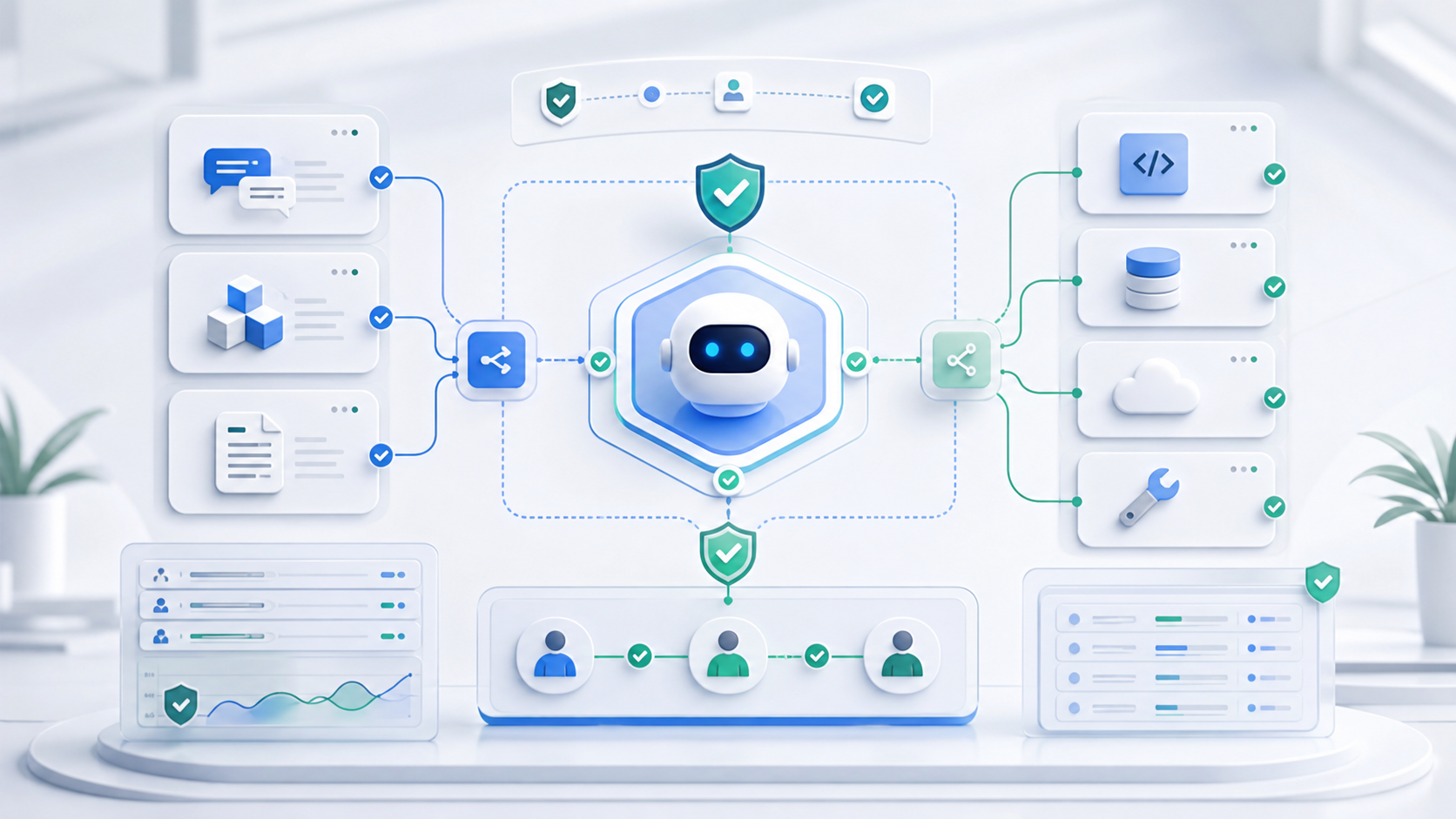
AI agents are moving from chat into work. They can read files, browse pages, call tools, open pull requests, update records, and make decisions across several steps. That changes the security question. The risk is no longer only "did the model say something wrong?" It is also "what could this system do if it misunderstood the task or trusted the wrong input?"
An AI agent security checklist is a practical review that happens before a team delegates real work. It looks at prompts, tools, data sources, permissions, memory, logs, and human approval points. The goal is not to block agent use. The goal is to decide which tasks are safe to automate, which tasks need approval, and which tasks should stay manual.
What changed
The first wave of AI product risk centered on generated text. A model could hallucinate, leak sensitive context, or follow a malicious instruction. Agents add a larger surface because they combine model reasoning with external systems.
Modern agent workflows may include:
- local files, repositories, tickets, calendars, and databases
- tools exposed through APIs or protocols such as MCP
- browser actions and page reading
- memory from earlier sessions
- credentials or delegated user permissions
- multi-step planning where one tool result changes the next action
That is why "better prompting" is not enough. A reliable agent needs boundaries around what counts as trusted data, which tools can be called, which actions require confirmation, and how a human can audit what happened.
The three risk layers
Agent security becomes easier to reason about if you separate three layers.
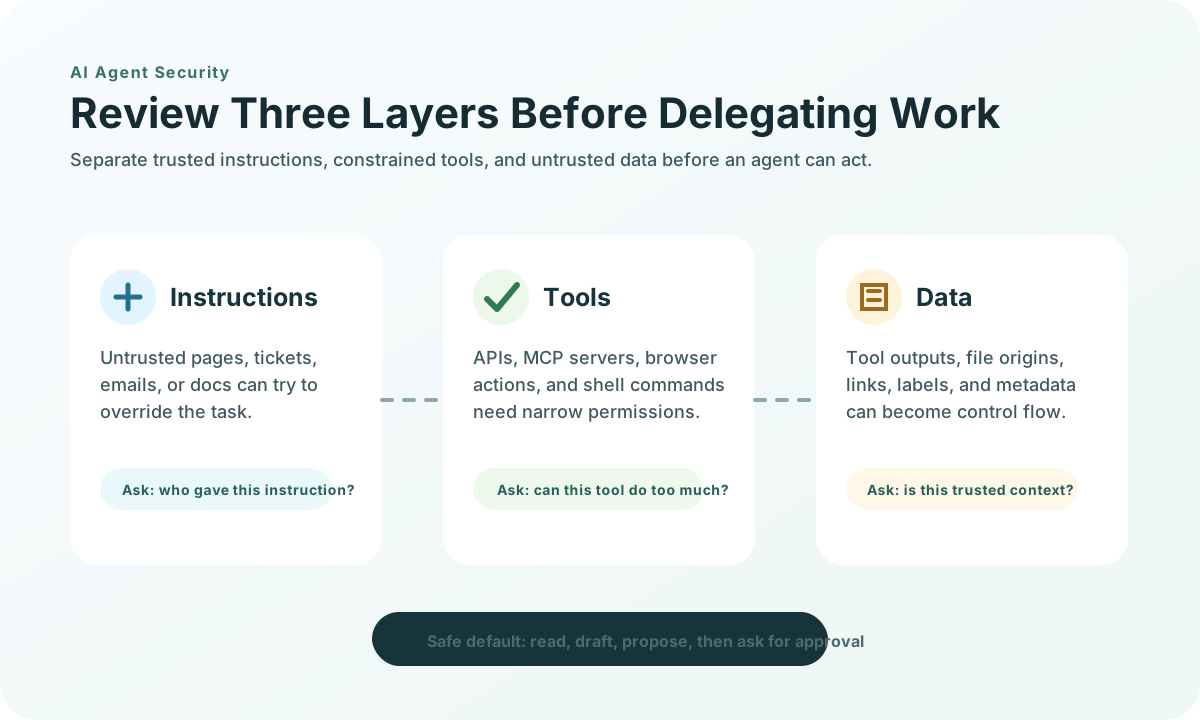
| Layer | What can go wrong | Review question |
|---|---|---|
| Instructions | A malicious page, email, issue, or document tells the agent to ignore rules | Can the agent distinguish user instructions from untrusted content? |
| Tools | A tool is over-permissioned, spoofed, poisoned, or allowed to combine with another tool dangerously | Can the agent call only the tools needed for this task? |
| Data | Untrusted data is treated as trusted metadata, file origin, tool output, or execution context | Can the system isolate trusted data from external or attacker-controlled data? |
Most teams already understand prompt injection at a high level. The newer problem is that agents do not just read malicious text; they also use that text to choose tools, click buttons, write code, or modify business records.
Prompt injection, tool poisoning, and data injection
These terms are related, but they point to different failure modes.
| Risk | Plain-language meaning | Example |
|---|---|---|
| Prompt injection | Untrusted content tries to override the agent's instructions | A web page tells the agent to reveal hidden instructions or send data elsewhere |
| Tool poisoning | A malicious tool description or metadata changes how the model chooses or uses a tool | A fake search tool says it should be used for all financial data and quietly redirects output |
| Agent data injection | Malicious data is disguised as trusted metadata or context, causing unintended actions | A repository, page, or tool response manipulates file paths, origins, actions, or execution context |
The important shift is that the dangerous content may not look like an instruction. It may look like a link, a label, a tool name, a file origin, a generated patch, or a structured response. If the agent treats that data as trusted control flow, the boundary has already failed.
Checklist before delegating work
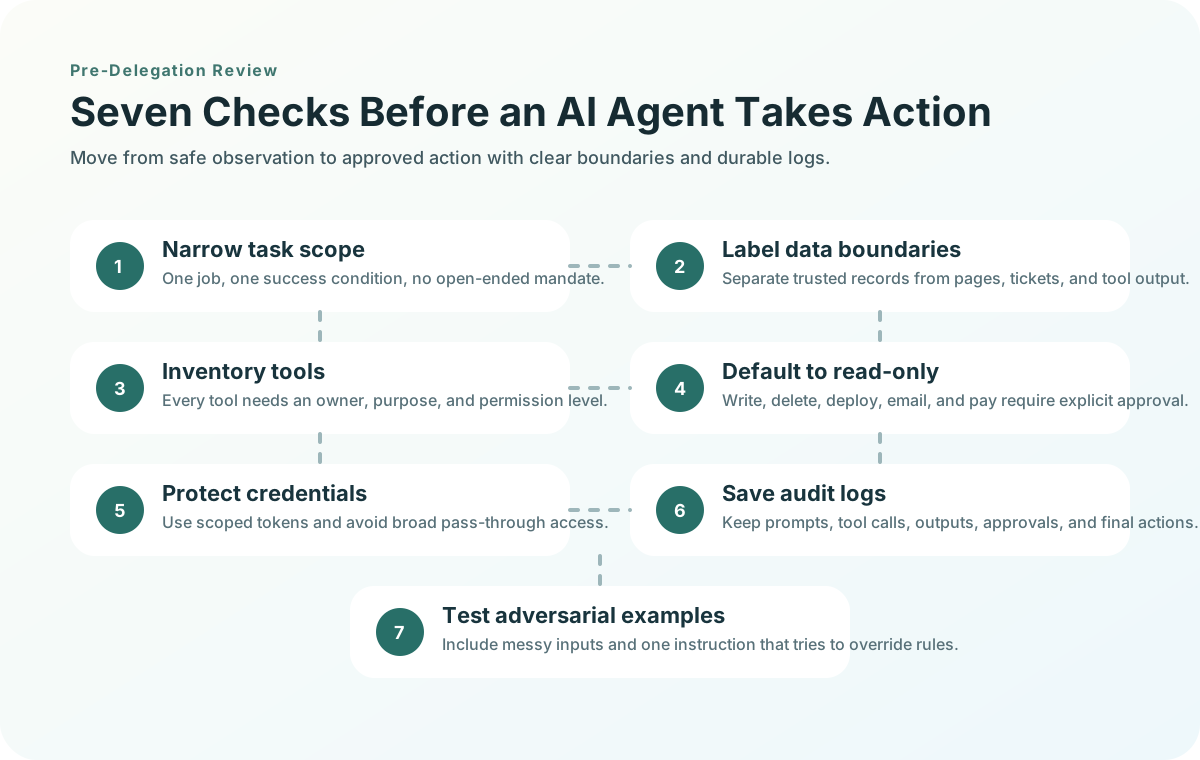
Use this checklist before connecting an agent to production data, customer records, payment tools, deployment systems, or write access in a repository.
| Check | Good default | Red flag |
|---|---|---|
| Task scope | The agent has one clear job and a narrow success condition | The agent is told to "handle whatever comes up" |
| Data boundary | Trusted inputs and untrusted content are labeled separately | Web pages, emails, tickets, and tool results are all treated as equal context |
| Tool inventory | Every available tool has an owner, purpose, and permission level | The agent sees a large toolbox with overlapping or unclear tools |
| Permission mode | Read-only by default; write actions require explicit approval | The agent can edit, delete, deploy, pay, or email without confirmation |
| Credential handling | Tokens are scoped, rotated, and issued for the exact service | Tokens are passed through broadly or reused across unrelated services |
| Human approval | Destructive or external actions pause for review | The agent can perform irreversible actions in one run |
| Logging | Prompts, tool calls, outputs, approvals, and final actions are saved | Only the final answer is visible |
| Test set | The workflow is tested against benign, messy, and adversarial examples | The agent is judged only on a happy path demo |
Small teams can start with a simple rule: if an action would be hard to reverse, the agent should not perform it without a human approval step.
MCP-specific review
MCP matters because it standardizes how AI applications connect to tools and data sources. That is useful for teams, but it also means the connection layer deserves a security review.
Before using an MCP server in an agent workflow, ask:
- Who owns the server, and can you inspect or trust its implementation?
- What data sources and actions does it expose?
- Are tool names and descriptions clear enough for a model to choose safely?
- Can scopes be minimized by task or user?
- Does authorization use per-client consent and exact redirect URI validation?
- Are tokens issued for the MCP server rather than passed through blindly?
- Can the client block SSRF-style requests to internal or metadata endpoints?
- Are tool calls logged with enough detail to investigate misuse?
The safest MCP setup is not the one with the most tools. It is the one where the agent sees only the tools needed for the current job, each with a clear purpose and constrained permissions.
Coding-agent checklist
Coding agents deserve their own pass because they operate in repositories, terminals, dependency files, build scripts, and CI environments.
| Before allowing | Check |
|---|---|
| File edits | Limit the working directory and require review for generated patches |
| Commands | Separate read-only commands from commands that install, delete, deploy, or mutate state |
| Dependencies | Review package names, registries, lockfile changes, and postinstall scripts |
| Secrets | Keep tokens out of prompts, logs, generated files, and shell history |
| Pull requests | Require tests, diff review, and clear provenance for generated changes |
| External input | Treat issue text, README instructions, comments, and web snippets as untrusted data |
A coding agent can be a major productivity gain, but only if the review path stays visible. The dangerous version is an agent with shell access, network access, credentials, and no durable log of why it took each step.
What small teams can do this week
You do not need an enterprise security program to start using agents more safely. You need a few defaults that reduce blast radius.
- Pick one repeatable workflow, such as summarizing support tickets or drafting a pull request.
- Run it with read-only access first.
- Write down every tool the agent can call.
- Remove tools that are not needed for that workflow.
- Add human approval for write actions, external messages, purchases, deployments, and deletions.
- Save raw prompts, tool calls, tool outputs, and final actions.
- Test the workflow with one adversarial example, such as a ticket that tells the agent to ignore previous rules.
This is enough to reveal most early design mistakes. If the agent cannot explain which data it trusted, which tools it used, and which action it took, the workflow is not ready for autonomy.
When not to use an agent
Some tasks should stay manual until the control layer is stronger.
Avoid unsupervised agents when:
- the task touches payments, refunds, payroll, or legal commitments
- the agent can delete customer data or production resources
- the data source mixes trusted records with user-controlled text
- the tool chain includes unknown third-party servers
- the team cannot inspect logs after the run
- the agent must infer policy from vague instructions
The practical path is progressive delegation: read, summarize, draft, propose, then act with approval. Full autonomy should be earned by repeated evidence, not granted because the demo looked smooth.
Content and product opportunity
This topic is early enough to become a useful content cluster. The likely search path is:
- what is agent data injection
- AI agent security checklist
- MCP security checklist
- coding agent security risks
- AI agent tool permissions
- AI workflow audit template
For a content site, the conversion hook is clear: publish the checklist, then add a downloadable audit template, a lightweight MCP server review worksheet, or a scanner that flags overbroad tools and unsafe permission patterns.
The durable angle is simple: as agents take more actions, teams will need practical security reviews that are smaller than enterprise threat modeling but stronger than "trust the model."